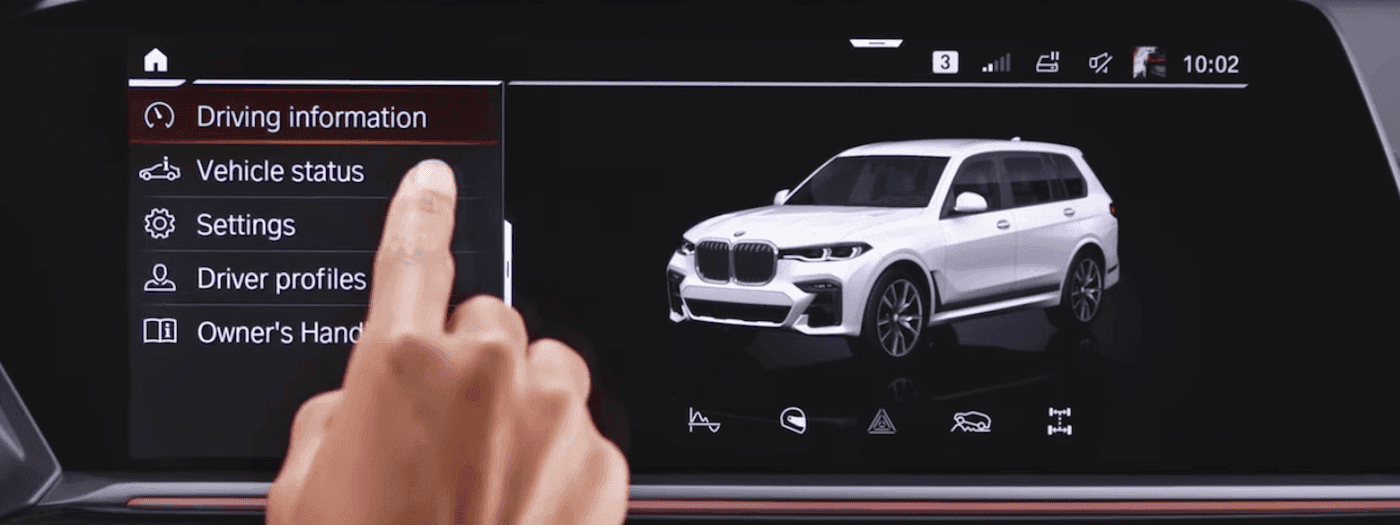
BMW vehicles are known for being well-equipped with innovative features designed to take your Pekin commute to the next level. One of the many advanced amenities found in the BMW lineup is Gesture Control. What is Gesture Control and how does Gesture Control work? This intuitive system, which allows you to control various infotainment functions by simply using targeted hand movements, is available on select pre-owned and late-model configurations. BMW of Peoria explores this dynamic feature in depth below.
With the help of advanced 3D sensors mounted integrated within the overhead console near the rearview mirror, your vehicle continuously translates specific hand movements made directly above the center console. This functionality lets you manage key media, communication, and navigation parameters safely without diverting your attention away from the road ahead in Washington.
For optimal sensor detection, execute your hand movements naturally within the space between the central air vents and the rearview mirror.
| Desired Action | Required Hand Gesture |
|---|---|
| Turn Volume Up | Circle your index finger slowly in a clockwise direction. |
| Turn Volume Down | Circle your index finger slowly in a counter-clockwise direction. |
| Accept a Phone Call | Point one finger directly toward the iDrive touchscreen display, then retract it. |
| Reject a Call / Close Pop-up | Swipe your open hand smoothly horizontally to the right. |
| Change Surround View Camera Angle | Pinch your thumb and index finger together and move your hand horizontally left or right. |
| Skip Track / Next Station | Extend your thumb to the right and move your hand smoothly to the right. |
| Trigger Custom Function 1 | Point toward the screen using your index and middle fingers slightly separated. |
| Trigger Custom Function 2 | Extend all five fingers, close them into a fist, then extend all five fingers again. |
Depending on your model generation, Gesture Control settings are managed through your central display menus. In newer architectures operating on iDrive 8, 8.5, or Operating System 9, this functionality is integrated within the BMW Natural Interaction suite.
From these sub-menus, you can easily toggle the entire system on or off, enable visual driver tip prompts on your display, or activate distinct audio feedback tones to confirm successful gesture recognition.
You can easily map the two customizable gestures to trigger your most frequent commands. A highly popular setup among local drivers is mapping the “two-finger point” directly to Route Guidance to Home Address or toggling directly into specific driving modes. Simply long-press your desired command icon on your display interface, select “Add Gestures & Shortcuts,” and assign your preferred motion!
If your system occasionally misses a motion, keep these simple operational tips in mind:
Gesture Control adds immense operational convenience to your daily drive across East Peoria. Because availability varies based on standard factory updates and production years, you may be wondering which vehicles feature the system.
If you are evaluating pre-owned inventory, look closely for configurations highlighting the integrated BMW Technology Package or Executive Package. On newer models equipped with standard wide curved displays, look for the standalone BMW Natural Interaction option! If you are wondering whether a specific configuration in our showroom features these sensors, feel free to contact the team at BMW of Peoria.
Now that you know how Gesture Control operates, you may have additional technical questions or wish to test the interface firsthand. Stop by BMW of Peoria to set up a personalized test drive. We would be more than happy to demonstrate all of the intuitive connectivity options the lineup has to offer.
Do you wish your driving experience in Pekin was more refined? If you are in the market for a new SUV, consider the 2026 BMW X3. With its feature-rich interior and high-level performance, the BMW X3 makes every adventure more memorable. You will find two unique BMW X3 trim levels in the new vehicle…
The BMW X1 is a compact Sports Activity Vehicle® that continually defies expectations. Boasting a head-turning design that blends modern aesthetics with an aerodynamic silhouette, the 2026 BMW X1 ensures you stand out from the crowd as you travel through Pekin and across Central Illinois. To complement its sporty, adventurous character, the BMW X1…
The 2026 BMW 3 Series is engineered for exhilarating performance, promising a thrilling driving experience in Washington and the surrounding neighborhoods. Yet, when the mood calls for a relaxed freeway cruise—enjoying the scenery and good company—the 3 Series is equally prepared. Join our team at BMW of Peoria near Pekin as we explore the 2026 BMW…

